TimeCal timeline calendar for Mac
All your calendars on one timeline you can zoom, edit, and organize
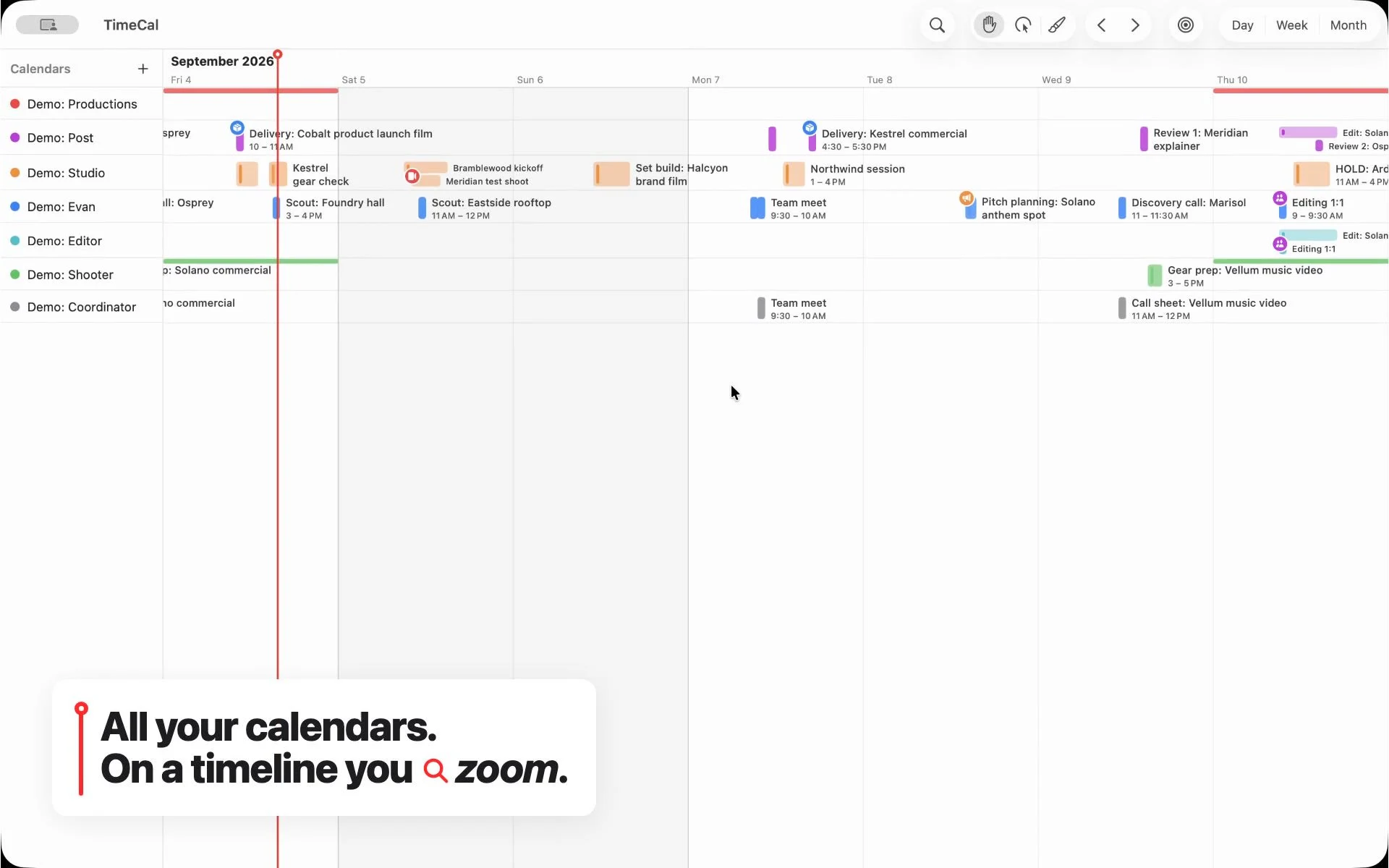
A calendar built like an editing timeline
TimeCal is our flagship app. It started with a familiar problem: when your work spans production schedules, studio bookings, personal commitments, and several teams, a conventional calendar turns everything into a stack of overlapping boxes. You can see that you are busy. Seeing how the work fits together takes more effort.
Our background in video suggested a different approach. Editors work across many tracks at once, zooming from the whole project down to a single moment. We brought that way of working to a native Mac calendar, with a lane for each calendar and a continuous timeline you can move through.
Work directly with your time
Zoom out to see the shape of a week or move in close to adjust an afternoon. Drag an event to move it, trim its edges to change its duration, or paint a new block straight onto the timeline. Group related calendars and put them in the order that makes sense for your work.
Rules give important events a consistent visual treatment without formatting each one by hand. Desktop pins keep selected events in view while you work in other apps. The goal is to make a busy schedule easier to read and faster to change.
TimeCal uses Apple's calendar system, so it works with the calendars already on your Mac, including iCloud, Google, and Exchange accounts configured there. Your events stay in those calendars; TimeCal gives you another way to work with them.
The app and the site around it
We built the native app and trytimecal.com, the website that introduces it. The site shows the actual app in motion and brings together the guide, release notes, purchase flow, and Mac downloads. It gives someone a way to understand the timeline before putting their own calendar on it.
TimeCal 1.0.0 is now available for Mac. Visit the TimeCal website to see it in action, or download TimeCal for Mac if you have a license key.
What we did
- Product design and native Mac app development
- Zoomable timeline with drag, trim, and paint tools
- Integration with Apple's calendar system
- Calendar grouping and automatic event styling rules
- Desktop event pins
- Product website, app demos, and download experience
Get a Field Report